You open a name field, hit save, and the app says it can’t be empty. Or you want to send a blank message on WhatsApp, but the space bar does nothing. That’s where invisible character copy and paste comes in. You copy a special character that shows nothing on screen, paste it into the box, and the app treats it as real text.
In this guide, I’ll explain what these characters are, which ones to try first, and how to use them on WhatsApp, Free Fire, PUBG and Instagram. If you just want one right now, grab it from our free Invisible Character tool and come back when you need help.
What Is an Invisible Character?
An invisible character is a Unicode symbol with no visible shape. It sits in your text like a ghost: you can’t see it, but the app knows it’s there.
Unicode is the system phones and computers use to store letters, numbers, emojis and symbols. Besides the normal ones, it includes a few “blank” characters that were made for spacing and formatting in different writing systems. People simply found out that they also work as blank text.
Why Doesn’t a Normal Space Work?
Most apps clean up regular spaces. If a field contains only spaces, it counts as empty and gets rejected. An invisible character is different. It isn’t a standard space, so many apps see it as actual content and accept it. That one difference is the whole trick behind invisible character copy and paste.
Which Invisible Character Copy and Paste Option Works Best?
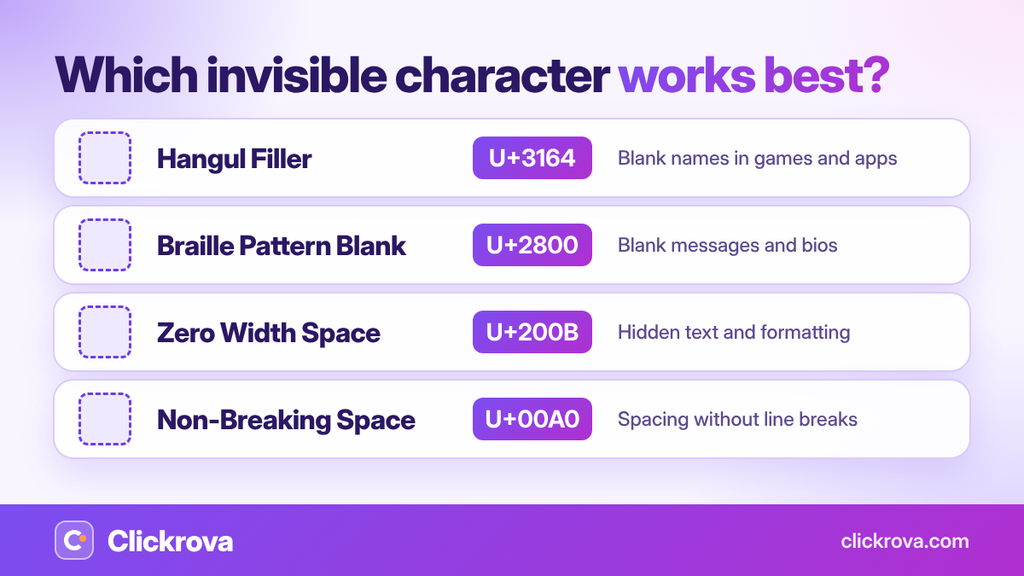
Not all blank characters behave the same way. These are the four most common ones:
| Character | Unicode | Best for |
|---|---|---|
| Hangul Filler | U+3164 | Blank names and usernames |
| Braille Pattern Blank | U+2800 | Blank messages and bios |
| Zero Width Space | U+200B | Hidden text and formatting |
| Non-Breaking Space | U+00A0 | Spacing without line breaks |
Hangul Filler (U+3164) is the one most people use for blank names. It sits in the Hangul Compatibility Jamo block, which you can check in the official Unicode code chart.
Braille Pattern Blank (U+2800) is a good second option. If an app rejects the Hangul Filler, this one often gets through.
Zero Width Space (U+200B) has no width at all. It’s useful for formatting, but many name fields reject it.
Non-Breaking Space (U+00A0) looks like a normal space but stops a line from breaking. Some apps still trim it, so don’t count on it for blank names.
My suggestion: try U+3164 first, then U+2800. That covers most situations.
How to Do Invisible Character Copy and Paste in 5 Steps
The steps are the same on Android, iPhone and desktop:
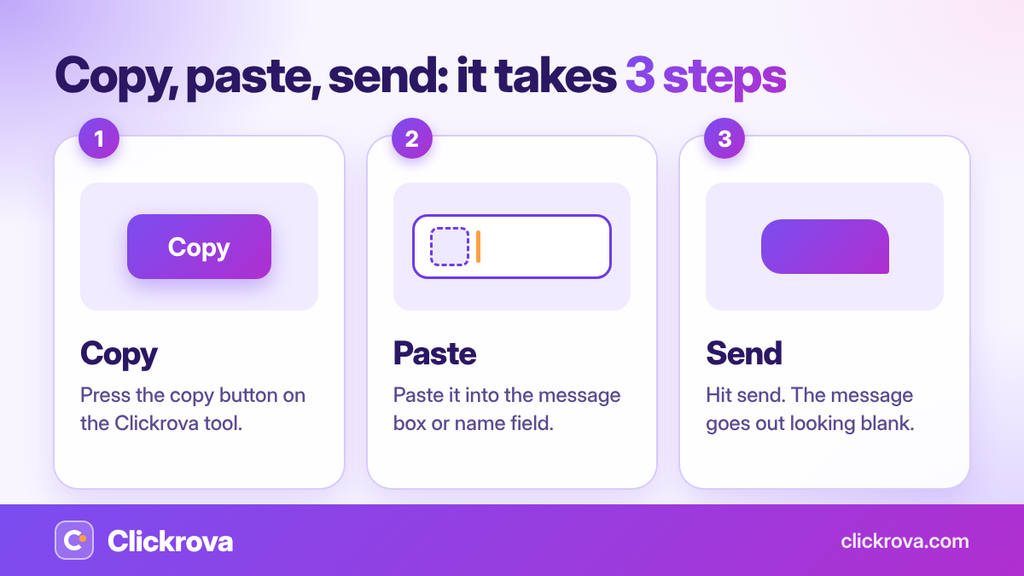
- Open the Invisible Character tool on Clickrova.
- Tap the copy button.
- Go to the app where you want to use it.
- Paste it into the message box, name field or bio.
- Save or send.
After pasting, the field will look empty. That’s normal. If the app lets you save or send, it worked.
Where Can You Use a Blank Character?
Here are the most popular places people use invisible character copy and paste.
Blank Message on WhatsApp
Paste the character in the chat box and press send. The other person receives a message that looks empty. People use it for jokes, for replying without words, or just to see the reaction.
Blank Name in Free Fire and PUBG
This is probably the most popular use, especially among mobile gamers in Pakistan and India. Paste the character in the name field and confirm. Games change their name rules from time to time, so a character that worked last month may be blocked today. If one is rejected, try another from the table.
Instagram and Social Media Bios
A bio only allows so much formatting. A blank character lets you add a gap between lines or push a line to the centre, so the bio looks cleaner without extra symbols. Want your bio to stand out even more? Style your name and bio lines with our Fancy Text Generator.
Forms, Captions and Design
Writers and designers use blank characters to keep spacing in places where normal spaces are stripped, such as captions, usernames and some form fields.
Testing for Developers
If you build websites or apps, invisible characters are useful for testing how an input field handles unusual text. A field that only checks for “empty” can behave strangely when it receives a hidden character.
Why Your Invisible Character Copy and Paste Might Not Work
Sometimes you paste it and the app still says the field is empty or invalid. Here’s what’s usually going on:
- The app filters it. Some platforms block certain Unicode characters on purpose. Switch to a different one from the table.
- The app trims it. A few systems clean up hidden characters when you save. Try the Hangul Filler or the Braille blank instead of the zero-width one.
- The character got changed on the way. If you copied it from a chat or a document, it may have been stripped. Copy it fresh from the tool.
- Your app is outdated. Updating to the latest version fixes odd input problems more often than you’d think.
No character works on every app, because each platform decides what it accepts. Testing two or three options usually solves it.
How to Check If It Pasted Correctly
Since you can’t see the character, here’s a quick check. Paste it into a notes app or a word counter that shows a character count. If the count goes up by one, the character is there.
Quick Tips for Better Results
A few habits make invisible character copy and paste work better:
- Paste one character first. Add more only if you need extra space.
- Keep a backup option (U+2800) ready in case your first choice is rejected.
- Always copy straight from the tool instead of retyping or forwarding it.
- On mobile, long-press inside the text box to paste if the paste button doesn’t show up.
Use It Responsibly
Blank characters are harmless for names, bios and jokes. But don’t use them to impersonate someone, spam people, or get around a platform’s rules. Apps can block accounts for abuse, and a blank name won’t protect you from that.
Frequently Asked Questions
What is an invisible character?
It’s a Unicode character that shows no mark on screen but still counts as text, so apps don’t treat the field as empty.
Is it safe to use?
Yes, it’s just text and nothing gets installed on your phone. Only avoid using it to mislead other people.
Which invisible character is best for a game name?
Most people start with Hangul Filler (U+3164) and try the Braille blank (U+2800) if it’s rejected.
Does it work on both iPhone and Android?
Yes. Copy and paste works on both because the characters are part of standard Unicode. Whether the app accepts it depends on the app itself.
Why does my blank message show as a box on some phones?
Some older devices or fonts can’t display certain Unicode characters. Try another one from the list.
Final Thoughts
Invisible character copy and paste is a small trick with plenty of uses, from blank game names to cleaner bios and messages. The easiest way is to copy one from a ready-made tool instead of hunting for the symbol yourself. Try our free Invisible Character tool, copy it in one tap, and paste it wherever you need it.
Looking for more free tools? Check out our Click Counter and Spacebar Counter too.